步數點數
步行賺取解鎖時間。每一步都計入每日螢幕時間點數。
步行解鎖
將每日步數轉化為有意識的應用程式使用權限。透過步行賺取解鎖點數,阻擋分散注意力的應用程式,培養更健康的用手機習慣。



下載
Walk to Buy Time & Unlock Apps
StepStore 助你透過步行,賺取有意識的螢幕使用時間。將你的步數轉化為解鎖點數,培養更健康的用手機習慣。
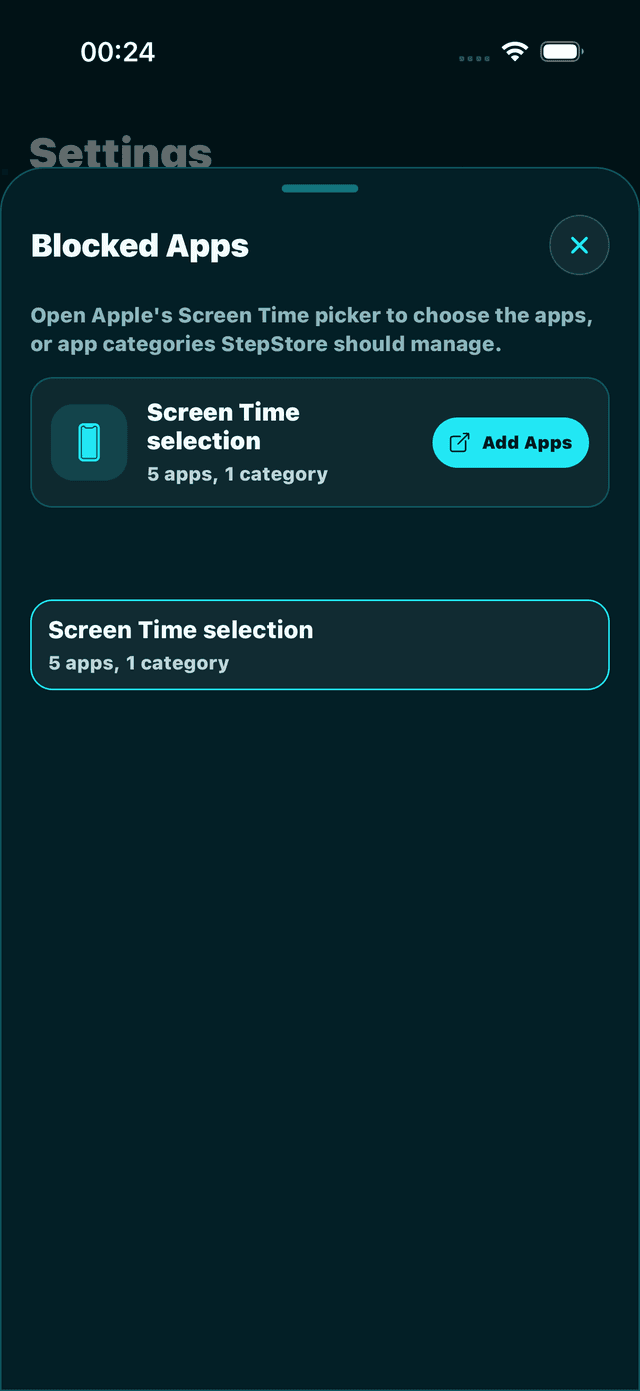
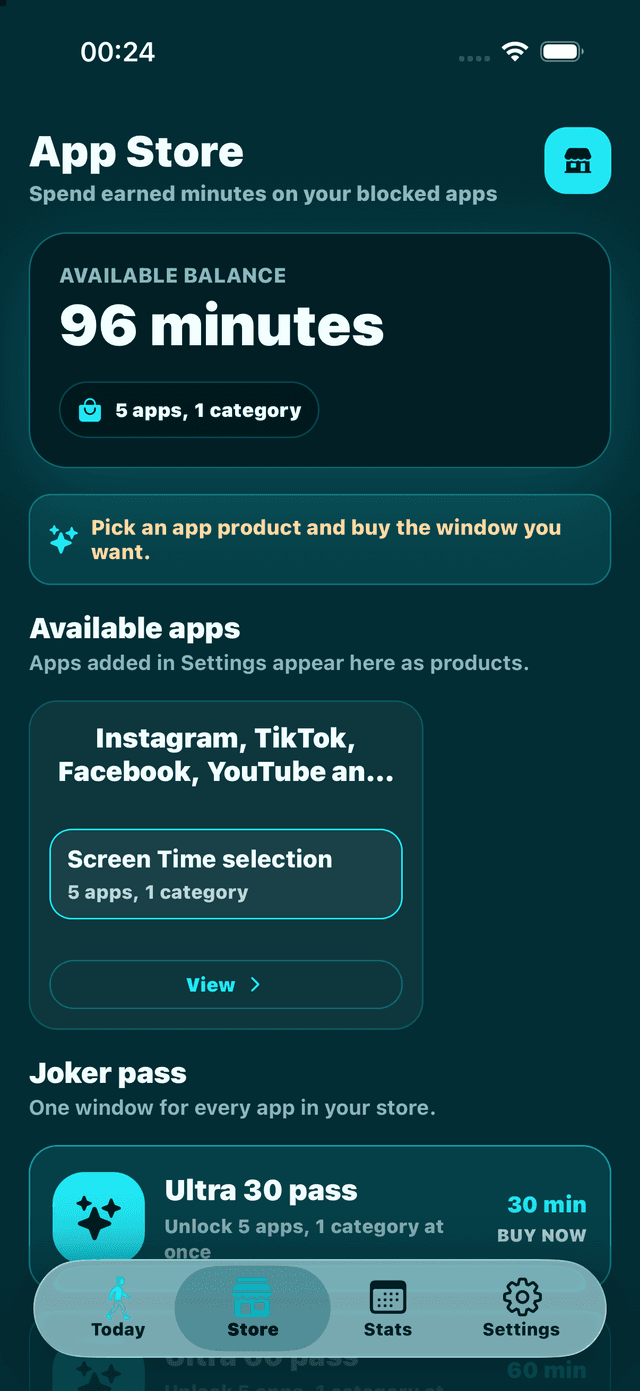
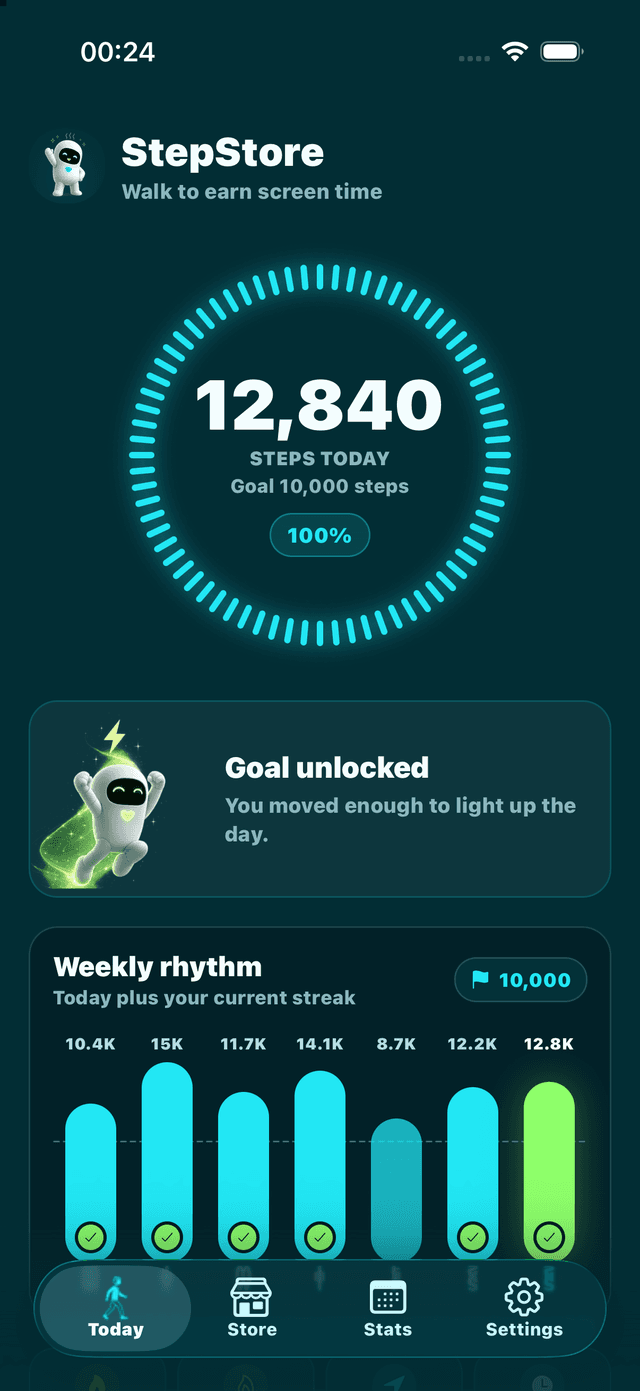
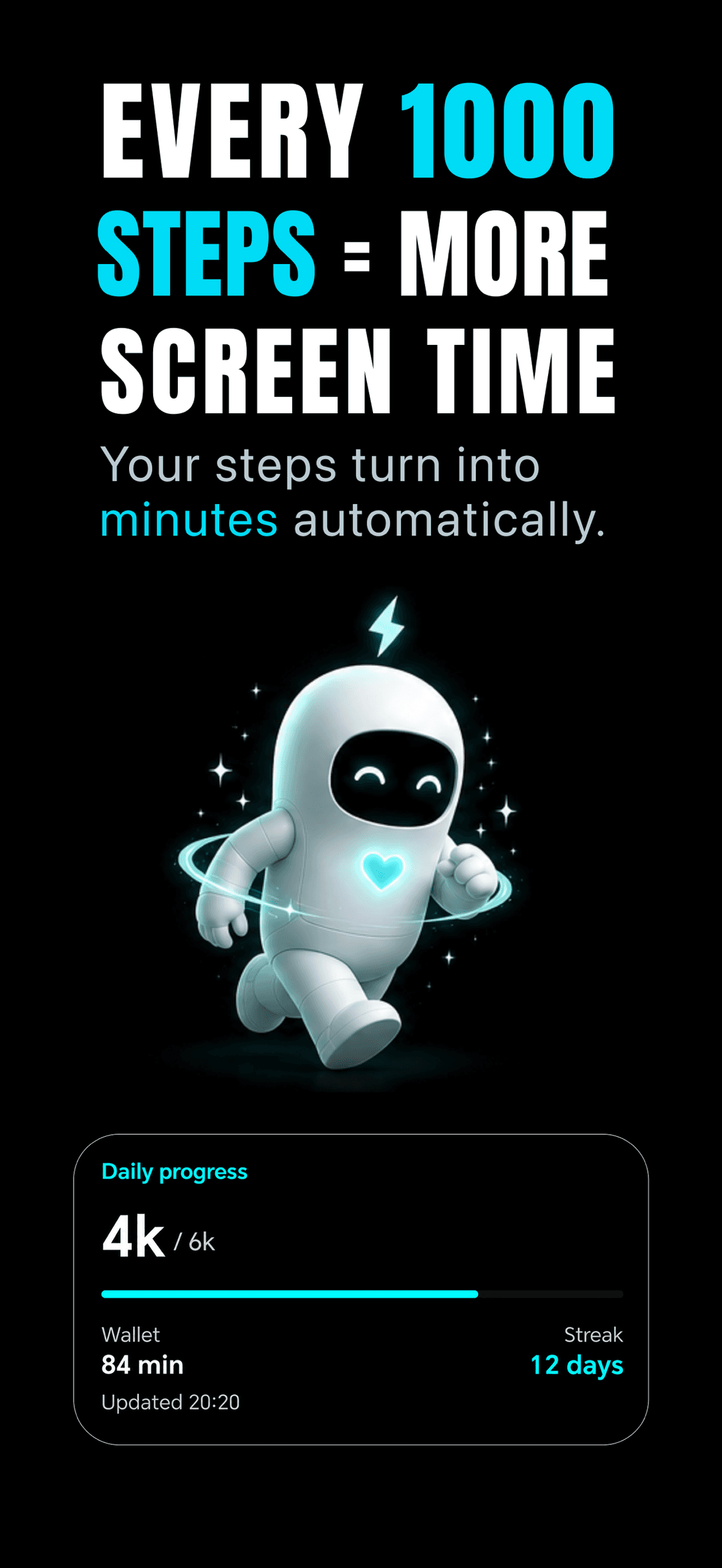
螢幕截圖
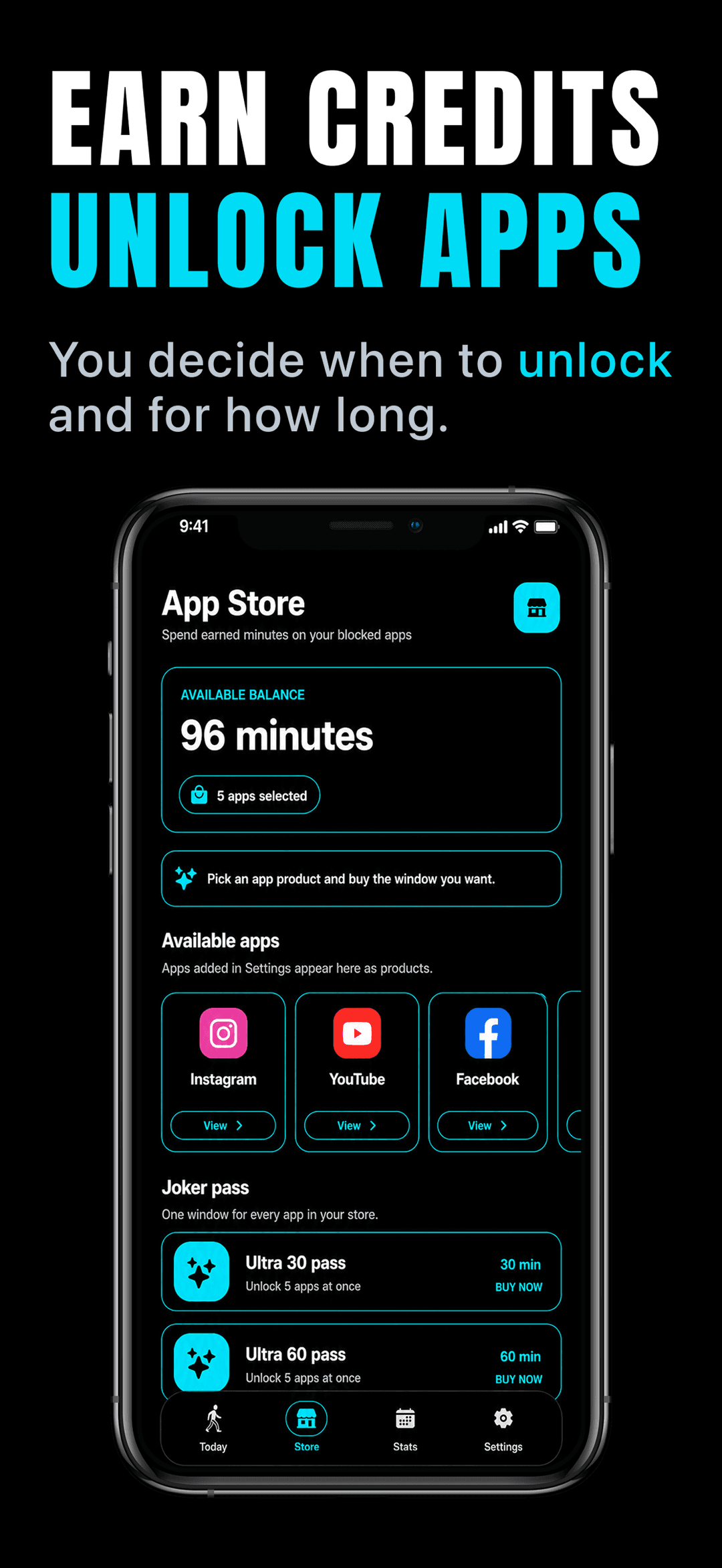
來自 App Store 頁面的真實螢幕畫面。

運作方式
StepStore 把一條簡單的規則——先走路,後解鎖——變成你 iPhone 或 Android 手機上每天自動執行的循環。
在你的授權下,StepStore 會從 Apple Health 或 Health Connect 讀取你的步數,並把每一次走路都轉換為解鎖額度。
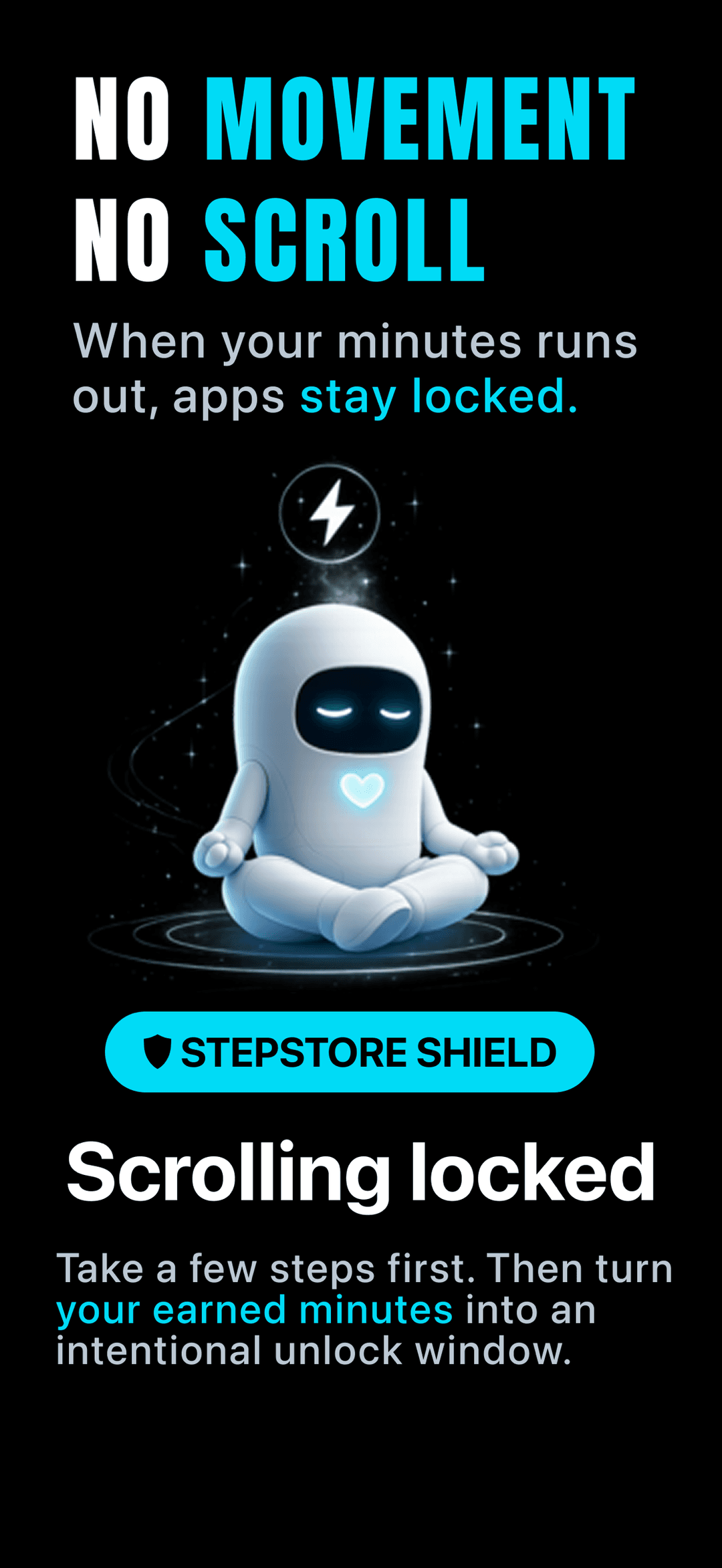
選擇你想贏回來的社群、影音、購物或娛樂應用程式。在你擁有步行額度之前,StepStore 會一直將它們鎖定。
每走一次都會為你的餘額增加分鐘。連續紀錄、每日目標與倍數讓這個習慣清晰可見、值得重複。
用你的餘額開啟一個短暫的解鎖視窗——最短只需一分鐘。結束後,可選的冷卻時間會阻止你重新滑回動態消息。
它能提供什麼幫助
StepStore 助你透過步行,賺取有意識的螢幕使用時間。將你的步數轉化為解鎖點數,培養更健康的用手機習慣。
步行賺取解鎖時間。每一步都計入每日螢幕時間點數。
選擇應用程式、類別或網站,直到賺取足夠的步行點數才能解鎖。
透過清晰的統計數據,追蹤連續紀錄、獎勵和每日運動進度。
本地通知幫助使用者達成目標並掌握解鎖時段。
在保護隱私的前提下,從 Apple HealthKit 或 Google Health Connect 讀取步數。
設定解鎖時段和冷卻期間,以建立可持續的用手機習慣。
Guides
Answers to the questions people search, with step-by-step walkthroughs.
Turn steps into screen-time minutes on iPhone: pick a fair steps-per-minute rate, connect Apple Health, and lock apps until you've walked.
Read guideThree ways to lock Instagram and TikTok behind exercise on iPhone: Screen Time limits, Shortcuts automations, and step-based app blockers.
Read guideBreak the doomscrolling loop with friction, replacement habits, and movement — plus how to make your steps the price of the scroll.
Read guideCompare the best Steppin alternatives — StepStore, WalkLock, Time Out and more — by step-to-minute rates, blocking strength, and price.
Read guideCut screen time without deleting Instagram or TikTok: friction, earned access, and unlock windows that make every open a conscious choice.
Read guide100 steps per minute? 1,000? What steps-to-screen-time exchange rates apps use, what research says about friction, and how to set yours.
Read guide為何重要
StepStore 將螢幕使用權限與體能活動連結,讓手機使用更有意識。
步數數據用於計算解鎖點數,同時保持產品專注且簡潔。
步行賺時間,解鎖App
StepStore 幫助您將日常活動轉化為有意識的螢幕時間。StepStore 不會永遠封鎖您喜愛的應用程式,而是讓您透過走路賺取解鎖分鐘數,然後將這些寶貴的時間用於您選擇的應用程式,讓每一次使用都更有意義。
StepStore 經您許可後,透過 Apple 健康或 Health Connect 讀取您的步數數據,並將您的日常走路活動轉化為可用的解鎖點數。 選擇您希望 StepStore 管理的特定應用程式或應用程式類別。您始終可以完全控制哪些應用程式會被管理,確保您的數位生活掌握在自己手中。 每一次走路都會為您的 StepStore 餘額增加寶貴的螢幕時間分鐘數。您的進度、連續紀錄、每日目標和倍數機制有助於讓這個健康的習慣保持可見,激勵您持續前進。 使用您賺取的分鐘數來解鎖選定的應用程式,以獲得短暫的存取視窗。當視窗結束時,StepStore 可以啟動冷卻時間,有效幫助您避免直接陷入無意識的滾動循環,培養更專注的使用模式。 在一個清晰的介面中,您可以輕鬆查看今天的步數、距離、活動卡路里、賺取的分鐘數、連續紀錄、獎勵和每日目標進度。全面掌握您的運動與螢幕時間數據,讓您對自己的習慣一目瞭然。
StepStore 並非為了懲罰或剝奪樂趣。它是為了在開啟那些通常會分散您注意力的應用程式之前,創造一個短暫、健康的停頓。先走路,賺取存取權限,然後再有意識地決定您是否仍想開啟它們。
減少衝動性開啟應用程式,培養更深思熟慮的使用習慣
常見問題
可以。在你的授權下,StepStore 透過 Apple Health(在 Android 上為 Health Connect)讀取你的步數,因此 iPhone 或 Apple Watch 記錄的步數會自動變成解鎖額度。不需要另外的計步器。
StepStore 可以免費下載,但使用這個應用程式及其功能需要有效的訂閱。符合資格的使用者可能可享免費試用;價格與續訂條款會在你購買前於應用程式內顯示。
不會。StepStore 只在你賺取步行額度之前封鎖你選擇的應用程式,之後便讓你開啟一個限時的解鎖視窗。它圍繞著賺取而來的存取權設計,而非永久封鎖或懲罰。
當解鎖視窗結束時,封鎖會重新啟用,StepStore 還可以開始一段冷卻時間,讓你不會立刻滑回動態消息。多走一走為餘額增加分鐘,隨時都能再次解鎖。
可以。你來選擇 StepStore 封鎖的特定應用程式或應用程式類別——社群、影音、購物、遊戲,或任何讓你沉迷的東西。你沒有選擇的一切都保持不變。
StepStore 讀取步數、步行或跑步距離以及活動卡路里,用於計算步行分鐘並顯示進度——僅供讀取,絕不寫回 Health。它不需要你的位置資訊,也不讀取訊息、貼文、購買紀錄、照片、聯絡人、麥克風或相機,而且無需帳號。與大多數應用程式一樣,StepStore 會使用分析工具(Mixpanel、Firebase 和 Meta)來了解應用程式的使用情況並衡量廣告成效,其中一部分包含步數與解鎖額度的計數。
沒有明顯影響。StepStore 讀取手機已經透過 Apple Health 記錄的步數,而不是執行自己的 GPS 或動作追蹤,因此不會增加背景定位帶來的耗電。
不需要。你的 iPhone 會自行計步,StepStore 從 Apple Health 讀取這些步數。如果你配戴 Apple Watch,它的步數資料也會自動匯入同一個餘額。